AI computing power density has grown a lot. Modern GPUs now draw over 700 watts each. Old server cases cannot handle this heat. Is your AI hardware losing performance inside an old case? This article explains the whole journey of designing and making an AI computing enclosure. We start with heat calculations. Then we move to material choices and cooling methods. You will learn when to choose a custom design or ready-made options. Building your own deep learning computer needs careful planning. Your CPU and GPU parts need good airflow and strong support. A cheap, expandable deep learning computer needs smart setup choices. We cover high-performance computing needs for every step of your build. Your computer’s case affects everything from noise to reliability. Let’s explore the design process that keeps your deep learning computer running at its peak.
Core Requirements for AI Computing Enclosure Design
Calculating Heat Density for High-Performance GPUs
Thermal management drives every design choice for an AI computing enclosure. Modern GPUs make a lot of heat. An NVIDIA H100 uses 700W all the time. The newer B200 goes up to 1,000W with air cooling or 1,200W with liquid cooling. Now think about those numbers across a full system.
Take an 8-GPU server. Eight GPUs at 700W each equals 5,600W of heat. Add CPUs, RAM, and storage (about 800-1,200W) plus networking (200-400W). Your total lands between 7,000-8,000W for one 2U server. Fill a 42U rack with ten such servers, and you’re handling 70-80kW of heat. Old racks handle only 8-15kW. That’s a 4-7x jump in heat density.
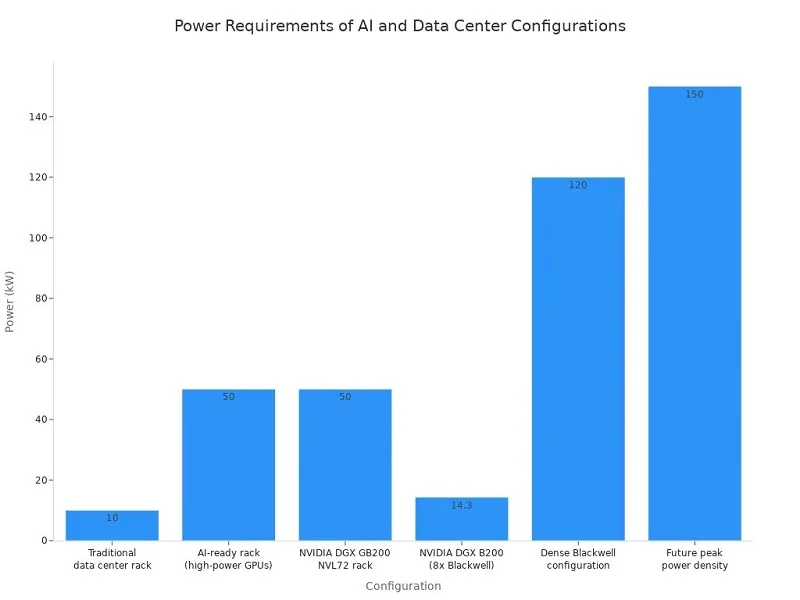
This math shapes your whole cooling plan. A rack pulling 70-80kW cannot rely on normal room air conditioning. You need focused airflow or liquid cooling loops working at 18-45°C inlet temperatures.
Airflow Path Design and Static Pressure Management
Air cooling works for medium loads, but it needs careful design. Your AI computing enclosure must move air from front to back without swirls or dead spots. High-static-pressure fans push air through dense GPU arrays, but they make noise and shake. Every vent, duct, and baffle changes the pressure balance.
For very high loads, direct-to-chip liquid cooling becomes the best choice. Normal room air systems cannot remove heat well at the highest densities. Your design must include coolant manifolds, tubing paths, and quick-disconnect fittings that allow service without emptying the whole loop.
Rack Unit (U) Standards and 19-Inch Compatibility
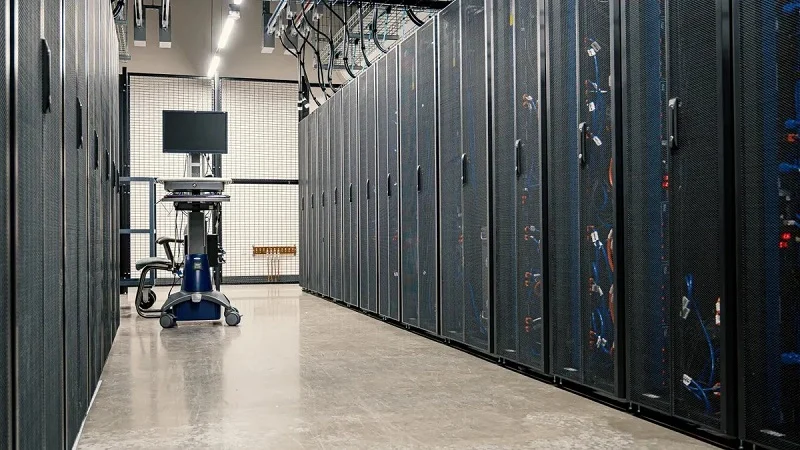
Your AI computing enclosure must fit standard data center gear. The 19-inch rack format and rack unit (U) height measurements are still the base. But high-density AI systems often go past normal weight limits. A full rack can weigh 10-20+ tons. Standard raised floors may need extra support or concrete pads rated for spread loads.
| Performance Domain | Key Metric / Requirement |
| Thermal | Heat removal at 300-400 kW per rack; liquid cooling needed; even temperature to avoid thermal stress |
| Structural | Heavy weight needing special floor support; size may differ from 19-inch standard |
| Electrical | Hundreds of kW per rack; large busbars; 380-415V AC or 48V DC distribution |
Material Stiffness for Vibration Damping
Fast fans create constant shaking. Your enclosure’s stiffness decides how much of that energy reaches sensitive parts. Steel gives better rigidity and EMI shielding. Aluminum offers better heat flow but less damping. Many designs mix both materials on purpose.
Earthquakes are another worry. Telcordia GR-63-CORE sets vibration rules for data center gear. Racks built to this standard, like the AMCO Titan ZN4 DT, hold up to 1,200 lbs while staying strong during quakes.
Planning for Increased Server Density
Your AI computing enclosure should allow growth. Rack densities are moving from tens of kilowatts toward 100-200kW and beyond. A design that works today may fail tomorrow. Pick a setup that can grow to 4 GPUs now, then scale to 8 or more as workloads rise. Modular power and cooling links let you add capacity without replacing the whole chassis.
Designing for Rapid Hardware Refresh Cycles
GPU generations come fast. The H100 led to H200, then B200, each with different power and cooling needs. Your AI computing enclosure must accept new hardware without big changes. Standard mounting points, flexible cable paths, and easy service areas cut upgrade time. PCIe slot layouts should fit various card sizes and power plugs. This forward-looking design protects your infrastructure investment across many hardware generations.
Building a deep learning computer means balancing these competing needs. Thermal performance, structural strength, and future flexibility all matter. A good AI computing enclosure brings these parts together into one system that keeps your hardware running at its best for years.
Materials and Manufacturing for AI Computing Enclosure
Selecting the Right Materials for Performance and Durability
Aluminum Alloys vs. Galvanized Steel
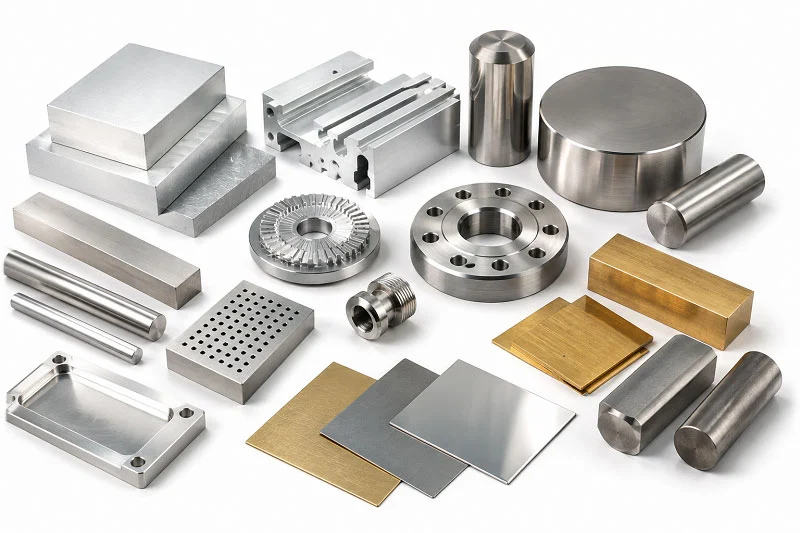
Your choice of material affects the whole manufacturing process. Aluminum 6061 is the best for handling heat. It pulls heat away from GPUs and CPUs fast. That is important when each GPU uses over 700 watts. This metal is also light, which helps when you put many units in a rack.
Galvanized steel (SGCC) has its own benefits. It blocks electromagnetic interference better than aluminum. This is important for AI hardware that runs at high speeds. Steel also handles fan vibration better than softer metals. Many AI computing enclosure designs use both materials. They use aluminum for heat sinks and cold plates. They use steel for the outer frame and EMI shields.
The choice depends on your cooling plan. If you need the best heat transfer, pick aluminum. If you need to stop electrical noise, steel is better. A custom design can use both in one build. This is a key challenge in making AI systems — balancing heat and electrical needs in one enclosure.
Surface Finishing: Anodizing for Corrosion Resistance
Raw aluminum reacts with air over time. That reaction can hurt heat transfer. Anodizing adds a controlled oxide layer on the surface. This protects the metal from rust and wear. It also makes the surface harder.
For AI computing enclosures, anodizing is common for heat sinks and cold plates. The coating keeps the thermal paste working well. Without it, rust can create tiny gaps. Those gaps stop heat from moving. A good finish also looks nice for customer-facing parts. The process costs a little more but makes your deep learning computer more reliable.
CNC Machining for Precision Parts
Getting Tight Tolerances for Heat Sink Fins
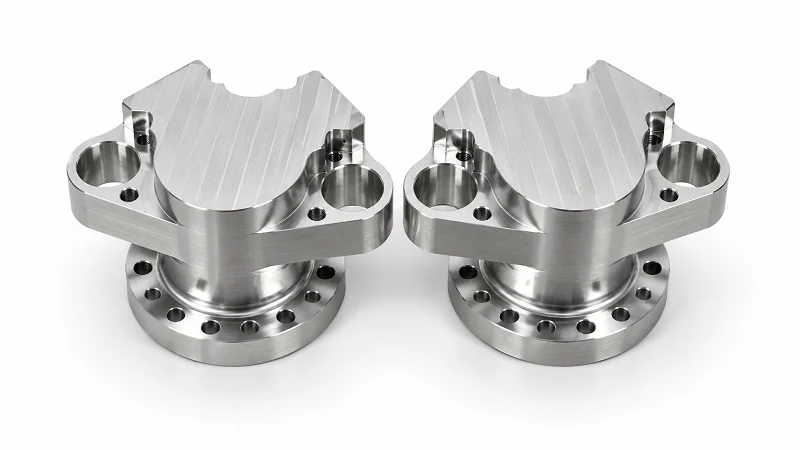
Heat sinks for AI GPUs need very high precision. The fins must be straight and evenly spaced. Even a tiny mistake can block airflow or hurt contact with the thermal paste.
The surface must be flat within ±0.05 mm. Uneven surfaces can create air gaps. Those gaps can cut thermal performance by up to 50%. Use fine machining passes like fly-cutting, facing, or precision milling to get a mirror-like finish.
Here are the usual tolerances for a CNC-machined heat sink:
| Fin Geometry Feature | Achievable Tolerance |
| Fin thickness | ±0.05 mm |
| Fin spacing | ±0.05 mm |
| Mounting face flatness | 0.01–0.02 mm |
These tolerances are set during the same cut that shapes the fins. This avoids errors from multiple steps. The precision is much tighter than standard extrusion. It ensures perfect contact with the thermal paste or pad.
CNC machining works best for low-to-medium production runs. It lets you change part designs easily, which extrusion cannot do. You can adjust fin shape between runs without new tools. This helps when your GPU changes and you need new parts quickly.
Machining Complex Chassis Features
The chassis also needs CNC work. Holes for PCIe cards must line up exactly. Standoffs for the motherboard need correct heights. Cable paths must be smooth with no sharp edges.
A custom build lets you improve these features for your hardware. You can add threaded inserts for easy access. You can machine pockets to hold cables. This works well for prototypes and small runs. In this case, the case becomes a precision tool that supports every part inside.
Sheet Metal Fabrication for Large Production
Laser Cutting and Precision Sheet Metal Bending
When you need hundreds or thousands of units, sheet metal fabrication is the way. Laser cutting makes clean edges with no burrs. The cut follows your CAD design within tight limits.
Precision bending then shapes the flat sheets into 3D forms. A brake press bends the metal along marked lines. The bend angle matters for strength. Too sharp, and the metal cracks. Too loose, and the frame wobbles. Good shops adjust these settings for each metal thickness. This is where your design meets real-world limits.
Sheet Metal Welding and Adding Hardware
Welding joins separate panels into one strong frame. Spot welding works for thin sheets. TIG welding handles thicker parts. Both create a solid frame that holds everything in place.
Hardware insertion adds threaded holes after welding. Press-fit nuts, PEM inserts, and weld nuts all work. They let you attach and remove parts during assembly. This is key for an AI computing enclosure that needs repairs. You can swap a fan, add a GPU, or replace a power supply without special tools. Good service access saves hours during maintenance.
These methods together form a full workflow. CNC machining handles precise parts. Sheet metal fabrication scales up for volume. The right mix gives you a strong AI computing enclosure that works well and lasts long.
Integrating Cooling Systems and Internal Architecture
Air Cooling Design: Ducting and Fan Trays
Managing Acoustic Noise in Data Center Environments
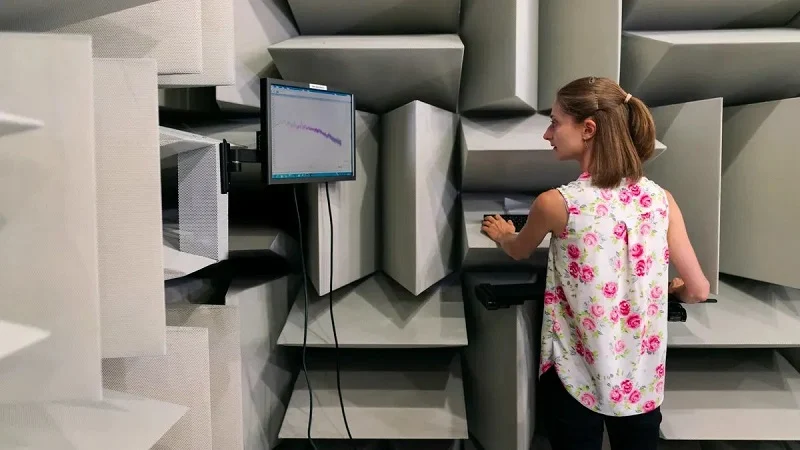
Air cooling creates a noise problem you cannot ignore. High-performance fan trays in server racks reach up to 96 dBA. Average server areas are around 92 dBA. AI/GPU racks push that even higher. They add 8–15 dBA compared to normal racks. Hot aisle levels then reach 94–98 dBA.
Those numbers matter for worker safety. OSHA sets the action level at 85 dBA. Anything above that requires hearing protection programs. The constant high-pitched whine from fans at full speed can cause gradual, permanent hearing loss for technicians working in hot aisles. Your AI computing enclosure design should include sound-dampening materials and smart fan curves. These slow down fans when temperatures allow.
Implementing Redundant, Hot-Swappable Fan Modules
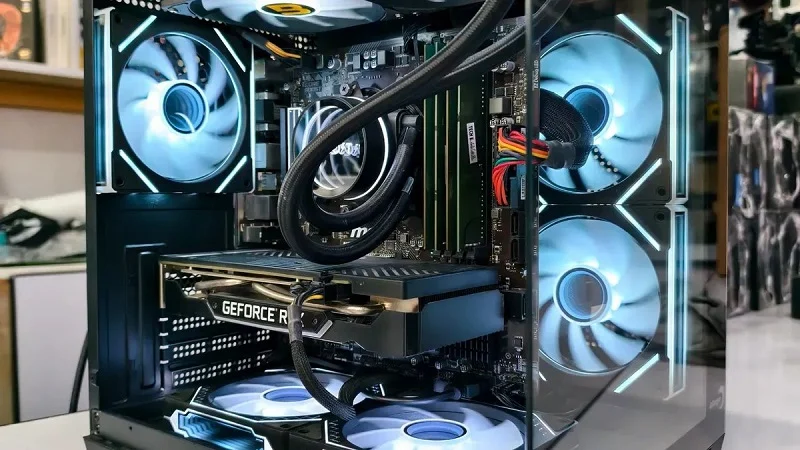
Your internal layout must focus on ease of service. Fans and filters should be hot-swappable. This reduces downtime. A failed fan should not shut down your whole deep learning computer. Redundant fan modules let you pull one out and slide a new one in while the system keeps running.
Design the fan tray with tool-less latches and clear status LEDs. Put fans where airflow matters most. Usually this means pulling cool air across the GPU and CPU banks. This approach keeps your hardware running during maintenance. You avoid full shutdowns.
Liquid Cooling Integration for Extreme Thermal Loads
Cold Plate Mounting and Tubing Routing
Direct-to-chip liquid cooling handles the highest heat loads. Cold plates mount directly on the GPU and CPU packages. They pull heat away much faster than air. The cost shows this difference. Air cooling with CRAC/CRAH units plus rear-door heat exchangers costs $1,800–$3,200 per kW. Direct-to-chip liquid cooling costs $3,500–$5,000 per kW. Immersion options cost even more.
| Cooling Solution | CapEx per kW |
| Air cooling (CRAC/CRAH perimeter + rear-door HX) | $1,800–$3,200 |
| Direct-to-chip liquid cooling (cold plates) | $3,500–$5,000 |
| Single-phase immersion cooling | $4,300–$6,000 |
| Two-phase immersion cooling | $4,500–$6,500 |
Tubing routing needs careful planning. You want short, direct paths between the manifold and each cold plate. Sharp bends restrict flow. Every connection point may leak, so keep them few. Use quick-disconnect fittings. These let you service one node without draining the whole loop.
Leak Detection and Safety Shutoff Mechanisms
Leak prevention starts with pressure testing every assembled loop before use. You also need sensors along the tubing path. These detect moisture early, before it reaches sensitive electronics. Safety shutoff valves should isolate a leaking section by themselves. This protects your investment and stops costly damage to nearby gear.
Power Distribution and Cable Management
High-Current Busbar Layouts for GPU Power
Modern GPUs draw huge amounts of current. A single GPU can use hundreds of watts. A full rack of them needs serious power delivery. Busbars handle this better than normal wiring. They carry high current with less voltage drop. They also produce less heat. Your layout should keep busbars short and thick. Use proper insulation and touch-safe covers.
Cable Routing for Optimal Airflow and Service Access
Cable management affects both cooling and maintenance. Messy cables block airflow and create hotspots. They also make swapping parts frustrating. Route power and data cables along chassis edges. Keep them away from the main airflow path. Use cable trays and Velcro straps to stay organized. Label each cable clearly. This design choice pays off every time you service the system.
Good cable routing also supports future upgrades. When you add a new PCIe card or replace a GPU, you can reach the right connector without untangling a mess. This keeps your AI computing enclosure adaptable as workloads grow. The internal architecture you choose today shapes how easily you add new parts later. Plan for service access from the start. Your data center infrastructure will run more smoothly for years.
Scalability and Modular Design for AI Growth
Modular Chassis Architectures for Flexible Deployment
Adding or Removing Compute Nodes Dynamically
AI workloads change fast. A training job that needs eight GPUs today might need only two for inference tomorrow. Modular enclosure designs let teams add or remove compute nodes as those workloads evolve. You avoid a full chassis replacement every time your requirements shift. This approach protects your budget and your uptime.
Think of each compute node as a building block. You start with a system expandable to 4 GPUs for early experiments. Later, you slide in additional nodes without rewiring the whole rack. The enclosure’s backplane handles the connections. Your deep learning computer grows alongside your projects. This flexibility matters when you cannot predict next quarter’s demands.
Standardized Module Interfaces for Rapid Swaps
Standardized interfaces make swaps quick and painless. Every node uses the same power connector, data link, and mounting points. A technician can pull a failed node and insert a replacement in minutes. No special tools required. No guesswork about which cable goes where.
This design philosophy extends to storage and networking modules too. You can mix GPU nodes with CPU-only nodes in the same chassis. The PCIe connections route automatically based on what you install. Your hardware stays useful longer because you can reconfigure it for new tasks. The modular approach turns your rack into a flexible toolkit rather than a fixed machine.
Prefabrication Strategies for Data Center Infrastructure
Factory-Assembled Enclosure Modules
Building a large-scale AI facility on-site takes months. Prefabricated AI computing enclosure modules change that timeline. Manufacturers assemble complete racks in their factories. They install the cooling loops, power distribution, and cable management before shipping. Your team receives a tested unit that arrives ready to run.
This approach shifts work from the construction site to the factory floor. Factory conditions offer better quality control than a dusty job site. Technicians follow the same procedures every time. They test each module before it ships. Your data center infrastructure arrives with fewer surprises and fewer hidden defects.
Reducing On-Site Installation Time and Errors
On-site assembly introduces risk. Workers might misalign rails or overtighten fittings. Prefabrication removes most of those variables. Each module connects to its neighbors through standardized interfaces. The installation crew follows a simple sequence: position, align, connect, verify.
The time savings add up quickly. A project that might take weeks of on-site work shrinks to days. Your ai data centers start generating value sooner. The reduced error rate also means fewer callbacks and less rework. Your infrastructure team can focus on optimizing performance instead of fixing installation mistakes.
Edge AI Computing Enclosures for Distributed Deployments
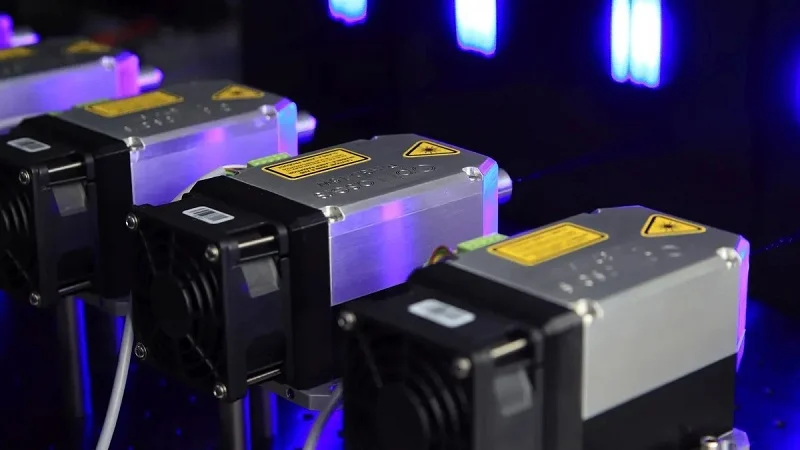
Ruggedized Designs for Non-Data Center Environments
Edge deployments live outside the clean, climate-controlled data center. They sit on factory floors, wind farm towers, and streetlight poles. These environments demand ruggedized AI computing enclosures that handle dust, moisture, and temperature swings. The IP rating system tells you how well a case protects its contents.
Choose IP67 for exposed outdoor deployments and harsh weather. It handles full dust ingress and temporary water immersion. Choose IP65 for protected outdoor or indoor environments where rain cannot reach the unit directly. Use connector-ready enclosures for faster installation and fewer failure points. The right rating prevents costly field repairs.
Testing for IP ratings above 55 involves simulating harsh conditions like heavy rain at angles, pressurized water immersion, and dust exposure. Prototyping enclosures with IP55+ ratings costs significantly more than non-rated versions. 3D printing cannot achieve these ratings due to water penetration between layers and seal tolerance issues from shrinkage. Prototyping requires injection molding or silicone molds, both adding to upfront costs.
The cost difference between ratings matters over time. IP65 enclosures cost 20-30% less than IP67 versions. But in water-exposed environments, their failure rate runs 2-3x higher. A single repair costs 5,000-10,000 yuan. One streetlight system cut total costs from 80,000 to 30,000 yuan after switching to IP67. The higher upfront price paid for itself through fewer failures.
Local Inference Capabilities Without Cloud Dependency
Edge enclosures often run local inference. They process data where it originates. This removes the need for constant cloud connectivity. A factory vision system can inspect products even if the internet goes down. A wind turbine monitor can predict failures without sending data to a remote server.
This local processing reduces latency dramatically. Decisions happen in milliseconds rather than seconds. It also cuts bandwidth costs. Your ai data centers handle the heavy training workloads. Edge units manage the real-time responses. Together they form a complete infrastructure that balances speed and scale. The ruggedized case protects the computer inside, while the modular design keeps upgrade paths open for future hardware.
Testing, Validation, and Quality Assurance Protocols
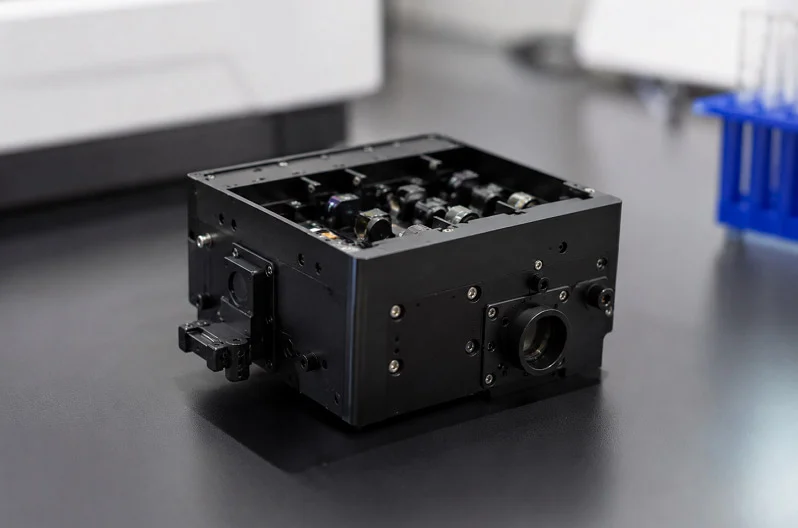
Thermal Validation: Simulation vs. Physical Testing
Using CFD to Predict Hotspots Before Prototyping
Computational Fluid Dynamics (CFD) software lets you see airflow patterns before you cut any metal. You model the AI computing enclosure, place virtual GPUs and CPUs inside, then run simulated air through the chassis. The software shows you hotspots, dead zones, and recirculation paths that would cook your hardware.
This early analysis saves real money. A design flaw found in simulation costs nothing to fix. The same flaw found after tooling costs thousands. You can test different fan placements, duct shapes, and vent sizes without building anything. CFD also helps you compare air cooling against liquid cooling for your specific heat load. You see which approach keeps every component within its safe temperature range.
But simulation has limits. Real fans behave differently than modeled ones. Actual GPU heat sinks have manufacturing tolerances. Cable bundles block airflow in ways software cannot predict. That is why physical testing still matters.
Environmental Stress Screening for Reliability
Environmental Stress Screening (ESS) pushes your prototype beyond normal operating conditions. You run the AI computing enclosure at temperature extremes. You cycle it between hot and cold rapidly. You operate it at high humidity. These tests expose weak solder joints, failing fans, and marginal thermal interfaces.
ESS catches problems that only appear under stress. A connector that works fine at room temperature might fail at 50°C. A fan bearing might squeal after thermal cycling. Finding these issues during development beats discovering them in production. Your deep learning computer needs to run reliably for years. ESS gives you confidence it will.
Mechanical and Safety Compliance Testing
Vibration, Shock, and Drop Test Procedures
Your AI computing enclosure will face physical abuse. Fans create constant vibration. Shipping causes shocks and drops. Seismic events can shake entire racks. Mechanical testing simulates these conditions in a controlled lab.
Vibration tests mount your enclosure on a shaker table. The table reproduces the frequency spectrum of real-world operation. You watch for resonant frequencies that amplify movement. Components that rattle loose or cables that chafe indicate design problems. Shock tests simulate sudden impacts. Drop tests verify packaging protects the unit during transport. Each test follows established procedures with pass/fail criteria.
Navigating UL, CE, and FCC Certification
Certification proves your enclosure meets safety and emissions standards. UL 62368-1 covers safety for IT equipment. It addresses electric shock, fire risk, and mechanical hazards. CE marking shows compliance with European Union requirements. FCC Part 15 regulates electromagnetic emissions in the United States.
These certifications require documented testing. You need lab reports, design files, and sometimes on-site inspections. The process takes weeks or months. Plan for it early in your project timeline. A custom AI computing enclosure needs more testing than a standard off-the-shelf unit. Budget accordingly.
Quality Control in the Manufacturing Process
First Article Inspection (FAI) for Precision Parts
First Article Inspection verifies that your manufacturing process produces parts matching the design. You measure every dimension on the first production unit. You compare those measurements against your CAD model and tolerances. FAI catches tooling errors before they affect thousands of units.
For precision components like heat sinks, FAI is critical. A fin spacing error of 0.05 mm might not show in a quick visual check. But it reduces thermal performance. FAI documentation also helps when you switch suppliers or change processes. It provides a baseline for future comparisons.
Final Assembly and Burn-In Testing Procedures
Burn-in testing runs completed enclosures under load for extended periods. You install dummy GPUs or actual compute cards. You run them at full power for hours or days. This test catches intermittent failures that appear only after warm-up. Loose connections, failing power supplies, and marginal cooling systems all reveal themselves during burn-in.
The test also validates system integration. You confirm that power distribution works correctly. You verify that cooling keeps every component within spec. You check that the management interface reports temperatures accurately. Only after passing burn-in does your enclosure ship to the customer. This final gate protects your reputation and your customer’s uptime.
Partnering with NOBLE for AI Computing Enclosure Manufacturing
Comprehensive Manufacturing Capabilities Under One Roof
In-House CNC Machining and Sheet Metal Fabrication
NOBLE handles everything in one place. You send your CAD files. Our engineers check your design and give feedback for manufacturing. We catch design issues early. We look at bend radius, wall thickness, and tolerance stack. We recommend changes to make production faster and cheaper. Then we start making your parts right away. No back-and-forth with outside shops. No shipping parts between different vendors. No delays. Your hardware needs a case that fits perfectly. Our custom process starts with DFM and ends with a finished AI computing enclosure.
Our shop has both CNC machines and sheet metal lines. One team handles your whole project. CNC machining makes the precision parts. Heat sinks for your GPU and CPU. Mounting brackets for PCIe cards. Custom panels with exact cutouts. The machines hold tight tolerances for every feature. Sheet metal fabrication builds the chassis. Laser cutting, precision bending, and welding create a strong frame. You get a complete AI computing enclosure from one source.
For an AI hardware project, speed matters. Your build needs a case that fits perfectly. Our in-house capability delivers that without extra lead time. The quality of your custom build depends on tight control. We keep that control by doing everything ourselves. Every hardware component gets tested before it leaves our floor.
Value-Added Services: Cable Assembly and System Integration
A case is just the start. NOBLE also handles cable assembly and system integration. We wire your power distribution. We route data cables for clean airflow. We mount your components into the rack. Your deep learning computer arrives ready to run. We build custom cable harnesses for each enclosure. Power cables, data cables, and signal cables all get the right length and connectors. This reduces clutter inside the case. Better airflow follows from cleaner cable routing. Your system runs cooler and lasts longer.
System integration means we test everything together. We verify that each GPU fits its slot. We confirm that the cooling system works. We check that every connector reaches its destination. This saves you hours of assembly work. Your team plugs in power and network, then starts training models. The integration work improves overall performance.
Certifications and Quality Management Systems
ISO 9001:2015 for Consistent Quality Management
ISO 9001:2015 sets the standard for quality management. NOBLE holds this certification across all operations. It means we follow documented procedures for every step. We track defects. We measure performance. We improve continuously. The system catches problems before they become big issues. Documented procedures mean every team member follows the same steps. No guesswork. No skipped checks. The result is a predictable, repeatable process that delivers quality every time.
For your custom manufacturing project, this matters. You get consistent quality from the first unit to the hundredth. Each enclosure meets the same tolerances. Each assembly follows the same checklist. Your data center infrastructure depends on reliable hardware. ISO 9001 gives you that confidence. The same quality applies to every rack we build.
ISO 13485:2016 for Medical Device Manufacturing Standards
Medical AI applications demand even tighter controls. ISO 13485:2016 is the standard for medical device manufacturing. NOBLE holds this certification too. It covers risk management, traceability, and validation. Every component gets documented. Every process gets audited. This level of detail prevents errors that could affect patient safety.
This matters for AI data centers that support healthcare. Your enclosure might house diagnostic AI. It might control a surgical robot. ISO 13485 ensures the process meets those requirements. The same discipline benefits any high-stakes infrastructure project. Your infrastructure stays reliable because the process is reliable. Every component is traceable to its source. Every computer is built to the highest standard.
Your AI computing enclosure does more than hold parts. It shapes how your AI hardware performs. Every thermal choice, every material decision, every cooling path affects your AI results. Building your own deep learning computer means thinking about the whole system, not just the GPU and CPU specs.
Smart manufacturing balances heat control, structural strength, and future needs. A budget expandable deep learning computer needs room to grow. Your custom design should accept next-generation GPU hardware without a full rebuild. That flexibility protects your AI infrastructure investment.
The right case turns good hardware into great performance. Partner with manufacturers early. Share your custom plans before finalizing. Their feedback prevents costly redesigns. Your AI infrastructure will deploy faster. Your computer will run stronger for years. Every rack you fill benefits from this approach.
FAQs of AI Computing Enclosure Manufacturing
What makes thermal management so critical for AI computing enclosures?
Modern AI GPUs draw over 700W each. An 8-GPU system generates 7,000-8,000W of heat. Without proper cooling, your hardware slows down or stops working. The right enclosure design removes this heat well and keeps your equipment safe.
Should I use aluminum or steel for my AI computing enclosure manufacturing?
Aluminum (6061) pulls heat away from parts quickly. Steel (SGCC) blocks electromagnetic interference better. Many custom builds use both: aluminum for heat sinks, steel for the outer frame. Your cooling plan decides the mix.
How do I choose between air cooling and liquid cooling?
Air cooling works for medium loads and costs less. Liquid cooling handles extreme heat above 40kW per rack. Direct-to-chip liquid cooling costs $3,500-$5,000 per kW. Your hardware density decides the best option. The right infrastructure investment depends on this choice.
What certifications does my AI computing enclosure need?
UL 62368-1 covers safety for IT equipment. FCC Part 15 regulates electromagnetic emissions. CE marking shows EU compliance. These certifications require documented testing. Plan for them early in your custom manufacturing timeline.
How can I make my enclosure future-proof?
Choose a modular design with standard PCIe mounting points. A system expandable to 4 GPUs can grow later. This protects your infrastructure investment across hardware generations. Your computer stays useful for years with simple upgrades.
Why should I partner with a manufacturer during the design phase?
Early feedback from a manufacturing partner catches design flaws before tooling. NOBLE’s engineers review your CAD files for DFM. This prevents costly redesigns. System integration starts with the first sketch. Your infrastructure benefits from factory-level quality control.
What testing ensures my enclosure works reliably?
Thermal validation combines CFD simulation with physical testing. Mechanical testing covers vibration, shock, and drop procedures. Environmental stress screening exposes weak components. Final integration includes burn-in testing under full load. This verifies your infrastructure performs as designed.
Can I use a standard server case for my AI build?
Standard cases cannot handle the heat density of modern AI workloads. A custom case optimizes airflow paths, GPU mounting, and cable routing. Your deep learning computer needs a case designed for its specific thermal and structural requirements. The manufacturing process must match your hardware needs.